How the right intake process stops problems before they start, and which tools do it best.
Let's be honest. Most legal departments handle intake the way they did in 1995. Someone sends an email. A senior executive walks over to a desk. Someone else gets a Slack message (haha, not in 1995). Suddenly you've got requests scattered across three platforms, half of them missing critical information, and nobody really knows what's in progress.
That's not a workflow. That's organized chaos.
The difference between a legal department that's constantly firefighting and one that's genuinely strategic comes down to one thing: intake. Get it right, and everything that follows gets easier. Get it wrong, and you're spending your time chasing down missing documents and clarifying vague requests instead of doing work that matters.
The Intake Chaos Problem
Here's what I see at companies of every size. A business request comes in, but nobody knows what it entails. Was that vendor NDA supposed to include IP indemnification? Does the client need the agreement by Tuesday or next month? Who's the decision maker? These questions don't get answered until three days into the project, when everything has to be reworked.
The root cause isn't laziness. It's that intake isn't structured. When requests arrive through email, Slack, walk-ups, and phone calls, you can't enforce consistency. You can't guarantee that the right information gets collected upfront. You can't route work to the right person automatically. And you can't see what's in your pipeline.
This costs you. Rework happens. Deadlines slip. Relationships suffer. And your team burns out because they're constantly context-switching between gathering information and doing the work.
What Good Intake Looks Like
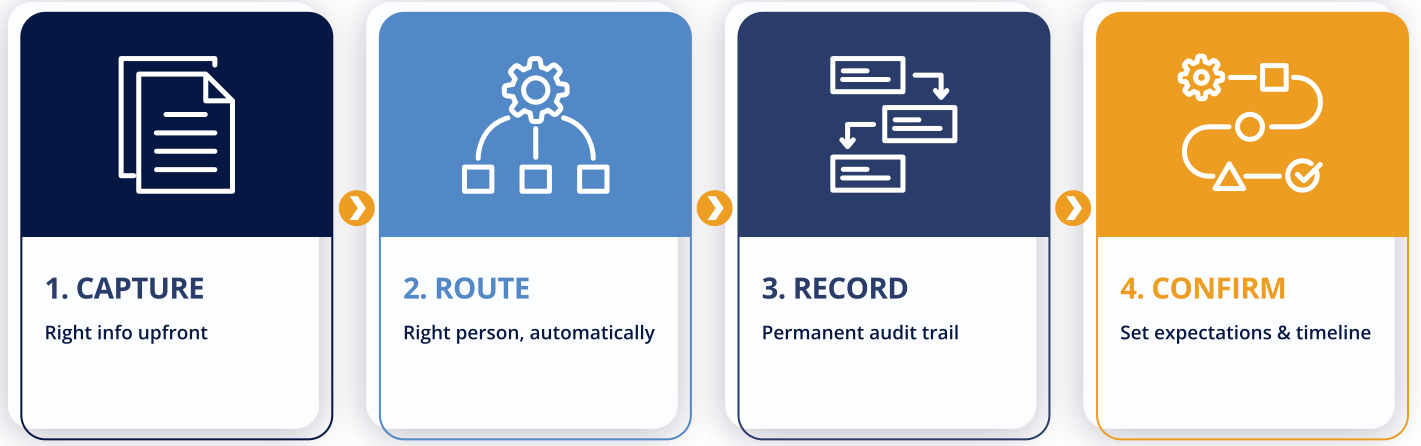
Good intake does four things. First, it captures the right information upfront. You're not guessing about deadlines, client needs, or scope. Second, it routes work to the right person automatically, based on matter type, complexity, or workload. Third, it creates a permanent record of what was requested and when, which matters for billing, reporting, and accountability. Fourth, it sets clear expectations with the requester about next steps and timeline.
When intake works, the people submitting requests know exactly what information to provide, the legal team knows what they're being asked to do, and everyone knows who's responsible and when it's due. That clarity changes everything.
What to Look for in Intake Software
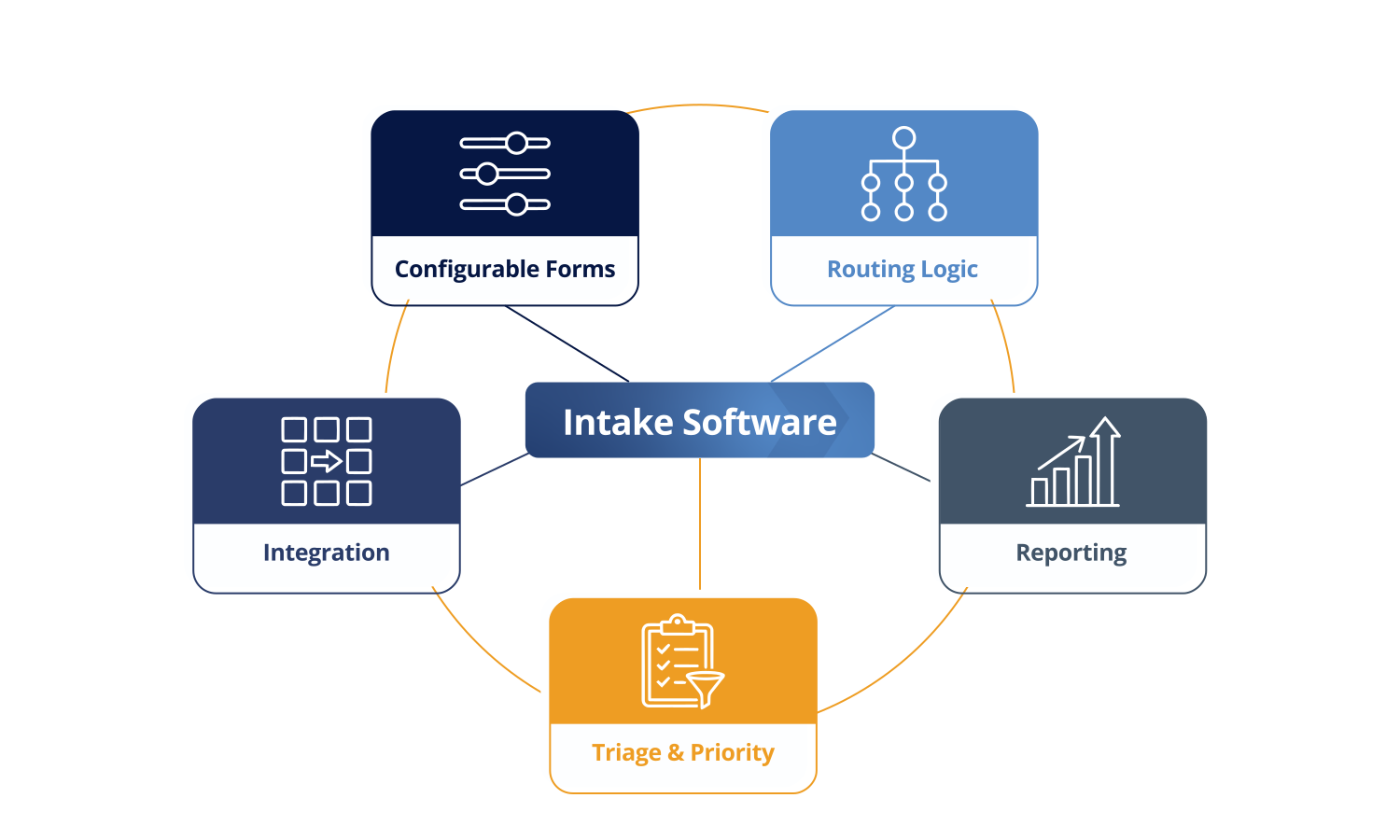
Configurable Forms. The best intake tools let you build custom forms for different types of requests. A vendor agreement form looks nothing like an employment law question. Your intake process shouldn't pretend they're the same. You need flexibility to ask the right questions for each situation, and you need the ability to update those forms as your business changes.
Routing Logic. Once a request comes in, where does it go? Good intake software routes automatically. A contract review might go to your commercial team. An employment issue goes to your HR counsel. International matters go to whoever handles those. Rules-based routing means less manual assignment and fewer dropped balls.
Integration. Intake doesn't live in a vacuum. You need to connect it to your matter management system, your document repository, your email, and your reporting tools. If intake requires manual data entry into a separate system, you've already lost. Integration means the request becomes the matter automatically.
Triage and Priority. Not all requests are equal. Some need immediate attention. Others can wait. Good intake software lets you triage based on client type, urgency flags, or business impact. You can see your queue, prioritize intelligently, and focus on what matters most.
Reporting. You need visibility into intake patterns. How many requests come in each month? How long does intake to assignment take? Which departments are your biggest users? What types of matters consume the most time? These metrics matter for resource planning, budgeting, and proving your value.
Comparing Intake Tools
Xakia. If you're a growing legal department, Xakia integrates intake directly into matter management. When someone submits an intake request, that IS the matter. No double data entry. No separate system. The form captures what you need, it routes to the right person, and it creates your matter record all at once. Setup takes days, not months. The platform is configurable by matter type and contract type, so your intake looks like your practice.
Checkbox.ai: Checkbox is workflow automation focused. It's powerful if your intake process is complex and you need sophisticated conditional logic. It's more technical to set up, and it lives separate from your matter management, so you'll need good integration skills.
ServiceNow: ServiceNow is an IT ticketing platform that some enterprises extend to legal. If you're in a ServiceNow shop, this is familiar. But it's built for IT, not legal. You'll spend time retrofitting it to legal workflows.
SimpleLegal: SimpleLegal focuses on legal spend management. Their intake works, but it's built around capturing billing and spend data. If your priority is understanding what you're spending on external counsel, it's solid. If you need broader intake functionality, it's narrower than others.
Why Intake Matters More Than You Think
Here's what people don't realize about intake. It's not just data collection. It's your first impression with the business. When someone submits a request and immediately gets confirmation that you understand what they need, they feel heard. That matters.
Equally important, good intake prevents the worst kind of work. Work that's scoped wrong. Work that's missing context. Work that has to be reworked because nobody asked the right questions upfront. That work wastes everyone's time and damages your relationship with the business.
When intake is clean, everything that follows is cleaner. Your team has clarity. The requester has clarity. You can estimate timelines accurately. You can assign work to the right person immediately. That compounds over time.
Common Intake Mistakes to Avoid
Mistake One: One-Size-Fits-All Forms. A form that asks the same questions for every type of request is worse than no form at all. A contract review needs different information than an employment question. A simple NDA doesn't need the same detail as a complex joint venture. If your intake form doesn't reflect your practice, nobody will use it properly.
Mistake Two: No Feedback Loop. Someone submits a request and hears nothing. No confirmation that you received it. No timeline on when they will hear back. No status update. That creates anxiety. The requester follows up constantly, which creates noise and wastes your time. Build in automatic acknowledgments. Give people realistic timelines.
Mistake Three: Intake Lives in a Silo. Your intake system is separate from your matter management. Separate from your documents. Separate from your reporting. That means manual data entry. That means things fall through cracks. That means you can't see patterns in your intake.
Mistake Four: No Prioritization. All requests are treated equally. Urgent matters get the same handling as low-priority ones. That means important work gets stuck behind noise. Build priority into your intake. Let people flag urgency. Let your system route accordingly.
Building Your Intake Roadmap
If you're starting from scratch, don't try to build the perfect intake system on day one. Do this instead. First, map your current state. Write down every way requests come in. Email, Slack, walk-ups, phone calls, whatever. Write down what information you need for different types of matters.
Second, identify your biggest pain points. What information is missing most often? Where do bottlenecks happen? What types of requests get lost? Fix those pain points first. Don't fix theoretical problems.
Third, find a tool that solves those specific problems and can be implemented quickly. Some organizations try to solve everything at once. That leads to six-month implementations and feature bloat. Pick the most painful problem. Solve it. Then expand.
Fourth, build in feedback. After you've run intake for a month, ask your team what's working and what isn't. Then iterate. Good intake is never finished. It evolves as your business changes.
Measuring Intake Success
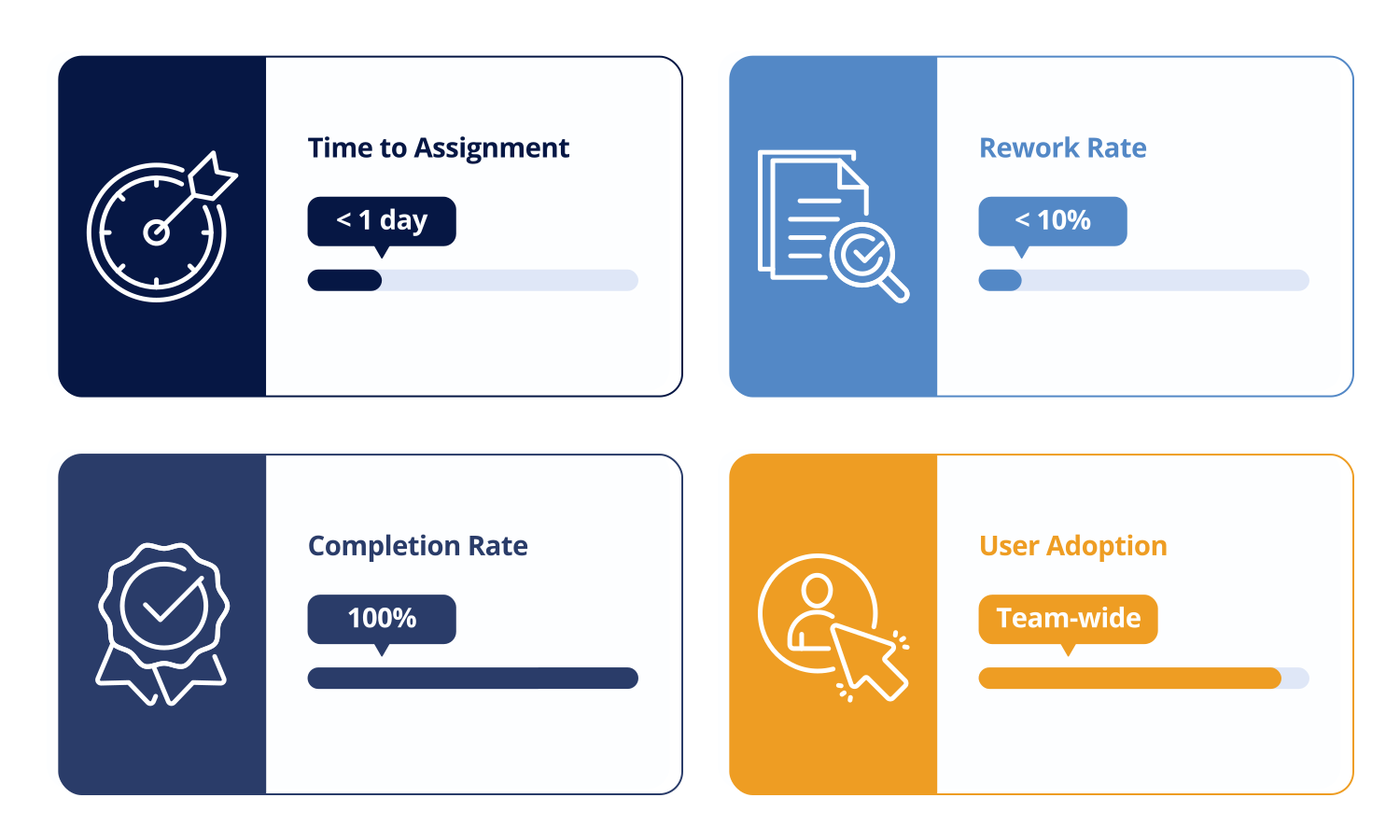
How do you know if your intake is working? Track these metrics. First, time from intake to assignment. How long does it take from when someone submits a request to when it gets assigned? If it's more than a day, something's broken. Good intake should route automatically or take minutes to route manually.
Second, rework rate. How many times do you have to go back to the requester for missing information? If it's more than ten percent, your intake isn't capturing what you need. Good intake should eliminate most rework.
Third, intake completion rate. What percentage of incoming requests make it into your matter management system? If some are falling through cracks, you've got a routing or integration problem.
Fourth, user adoption. Is your team using the intake system, or are they working around it? If adoption is low, the system isn't solving real problems. Fix that.
The Implementation Reality
The best tool is worthless if it takes six months to implement. You will have changed your mind about the process seventeen times before it goes live. Pilots will drag on. Your team won't use it because they built their own workaround in month two. I have seen this happen at dozens of companies.
When you're evaluating intake software, ask about implementation timeline. If they're talking about months, run. Good intake tools should be live in days, not months. That speed matters because it lets you iterate based on real usage, not theoretical planning. Speed also means your team is more likely to adopt the solution and build good habits around it from day one.
The implementation timeline also tells you something about the vendor. If they can implement quickly, it means they have a playbook. They have done this before. They understand what matters and what doesn't. A vendor that requires months of customization is either solving a different problem or hasn't figured out how to do their job efficiently.
Moving Forward
Your intake process is the front door to your legal function. If it's chaotic, everything behind it struggles. If it's clean and structured, the entire team benefits. The right intake software isn't a nice-to-have. It's foundational.
Start by mapping your current process. Where do requests come in? What information is missing most often? Where do bottlenecks happen? Then find a tool that fixes those specific problems and can be implemented quickly. You don't need the most feature-rich platform. You need the right one for your team's size and stage.
The best time to fix your intake process was when it became chaotic. The second best time is today. Reach out to your team. Ask them what's broken. Then get to work fixing it.
Ready to see how better intake works?
Book a free demo at xakiatech.com/book-a-demo to see intake built the right way.