Xakia's legal document management software keeps every document with its matter, files emails from Outlook or Gmail, searches across matters and documents, and connects to SharePoint, iManage or NetDocuments.
Store, sort and preview your documents
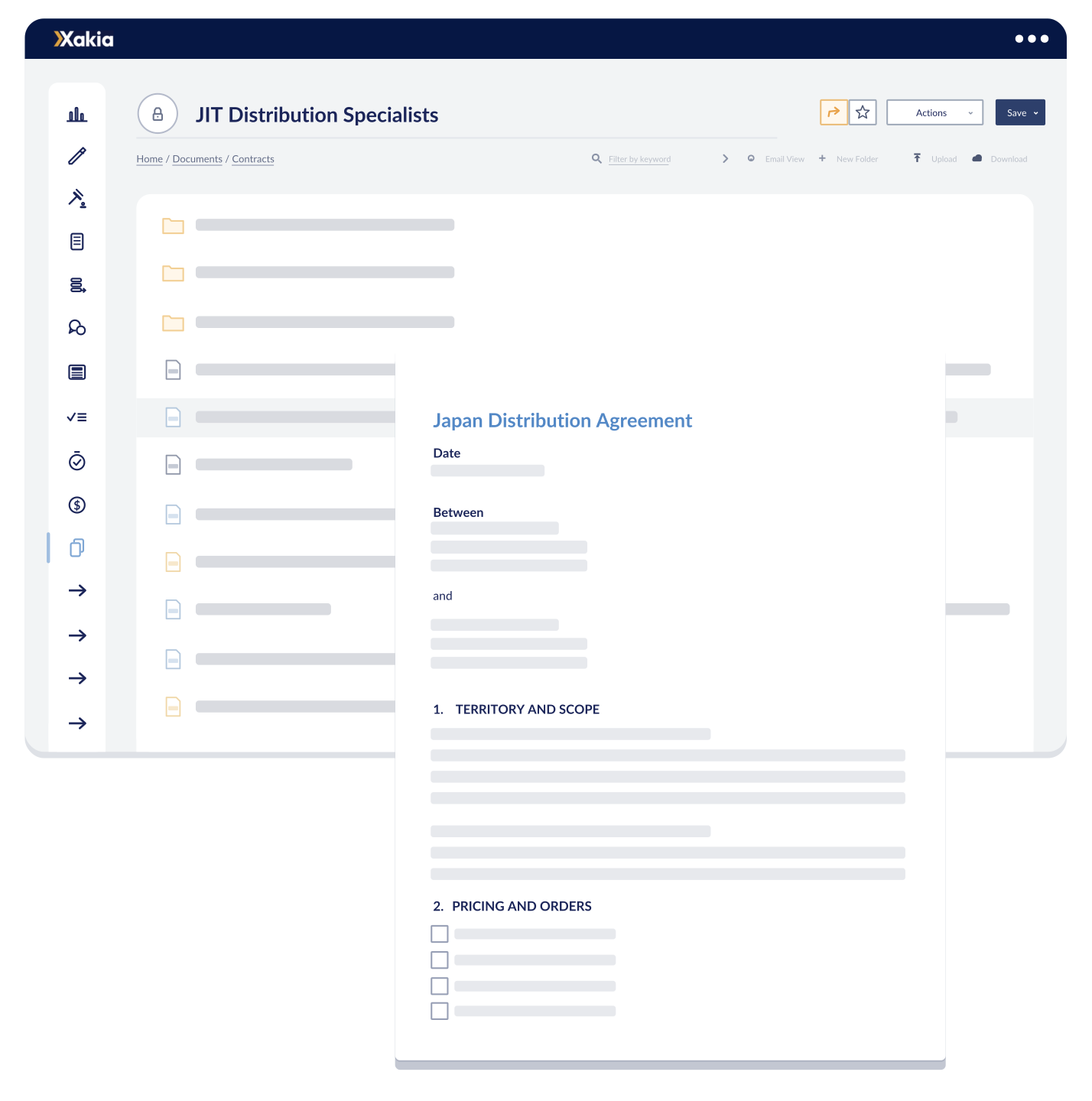
Every document sits inside the matter it belongs to, in folders you arrange the way your team already works. Finding the latest version never means hunting through a shared drive again.
Full version control shows the history of every document
Preview documents on screen to check you have the right one
Share documents with your business clients
Documents inherit the matter's confidentiality, so sensitive files stay protected
Find what you need with powerful search
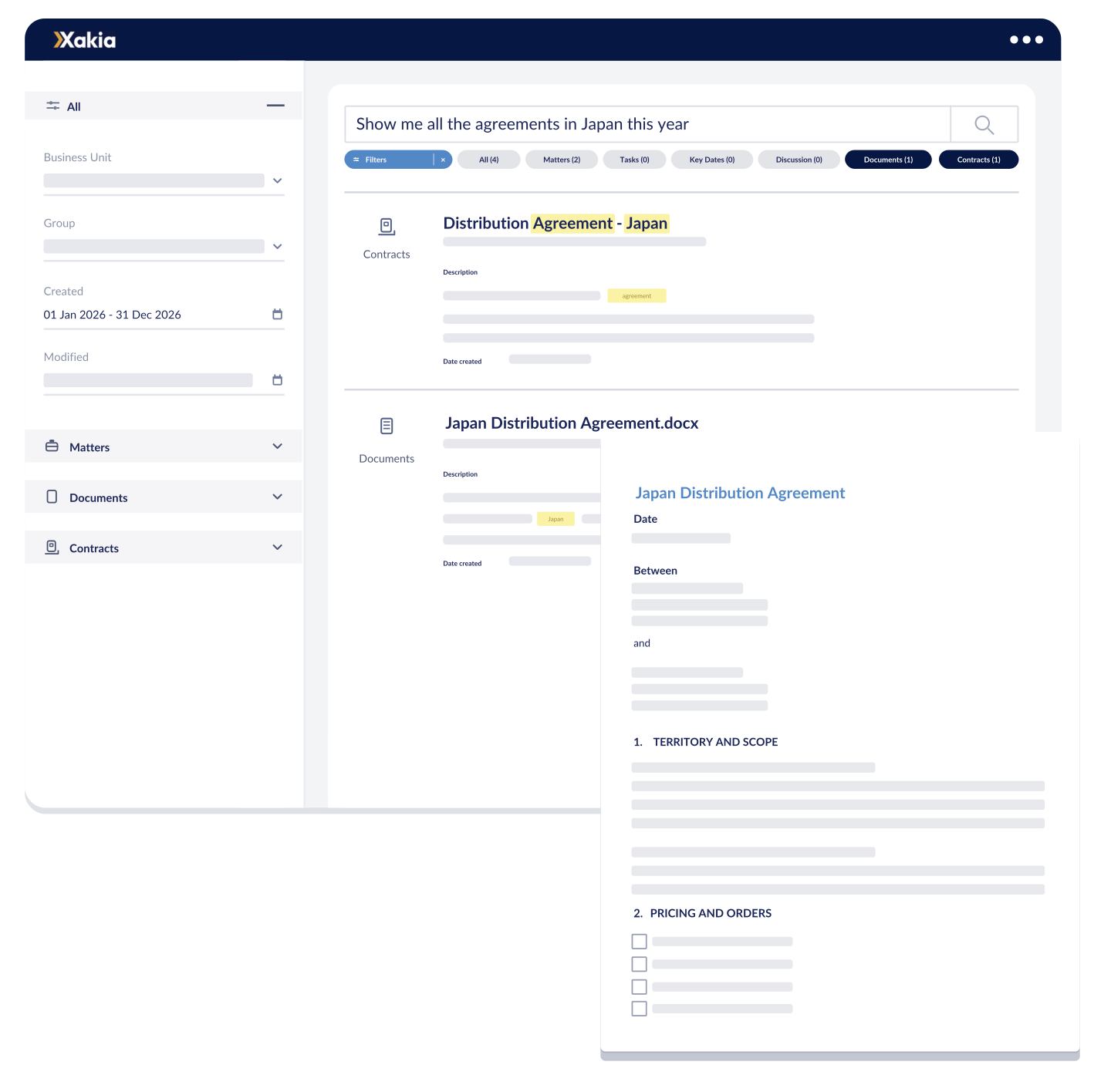
Xakia's Global Search looks across your matters, contracts, tasks, documents and emails at once. So when someone asks for that email from months ago, you can find it without remembering where it was filed.
Filter by matters or contracts, documents or emails, and see results broken down by type
Smart Search looks inside the content of your documents and emails
Describe what you need in plain English and AI search builds the query
Save searches for your team to use again
Work directly from Outlook or Gmail
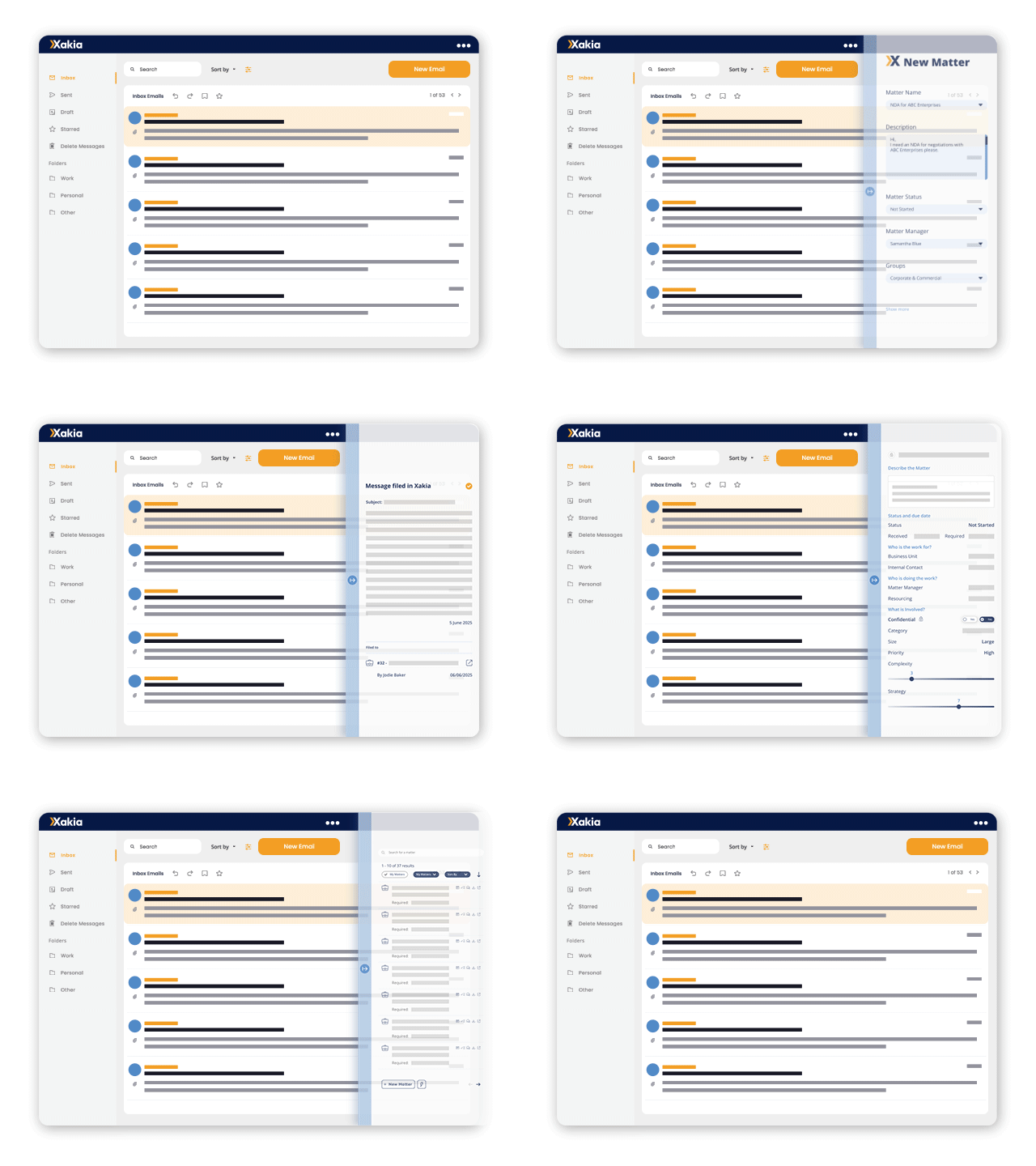
Legal requests land in your inbox first, so that's where Xakia works. Turn an email and its attachments into a matter or task in a few clicks, and file the rest to the right matter without switching tabs.
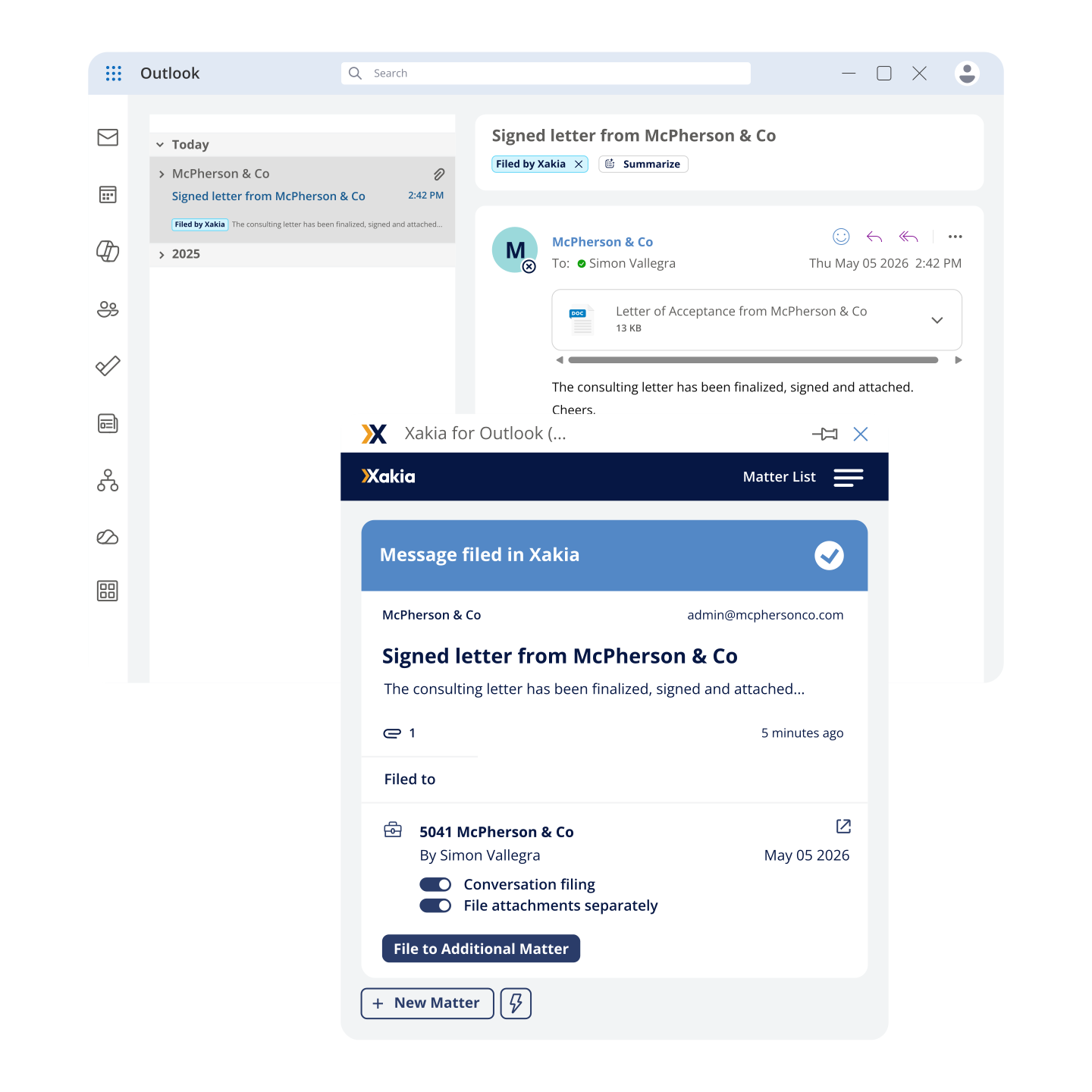
File emails and their attachments to the right matter, or straight to SharePoint
Turn on automatic thread filing in Outlook, so later emails in the conversation follow
See which emails are filed at a glance with the Xakia Filing Indicator
Find matters and update their status from Gmail
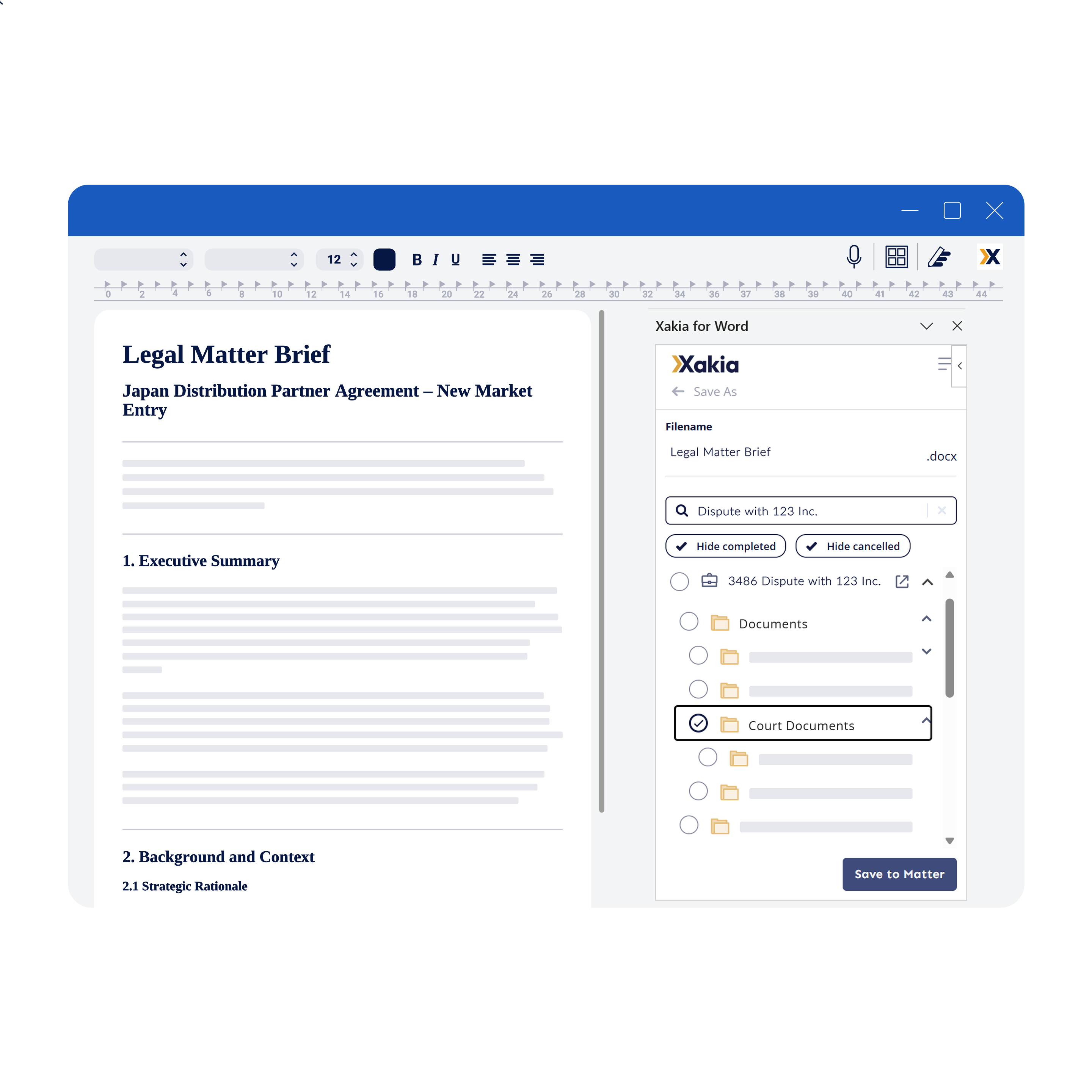
Work directly from Word
Draft and edit in Microsoft Word the way you always have. The Xakia Word Add-In lets you save straight back to the matter, so you're not downloading and re-uploading files to keep track of versions.
Open, edit and save a document directly from Word
Full version control available
Check in / out with full visibility and prompts available
Review and redline the document against your Playbook with Xakia AI
Plug in your own Document Management System
If your documents already live in SharePoint, iManage or NetDocuments, keep them there, because we built Xakia to connect to each of them out of the box.
Matters link to their own folder or workspace in your DMS
Matter details sync from Xakia to your DMS
Matter and document access is respected
Teams without a DMS can use the built-in Xakia DMS instead
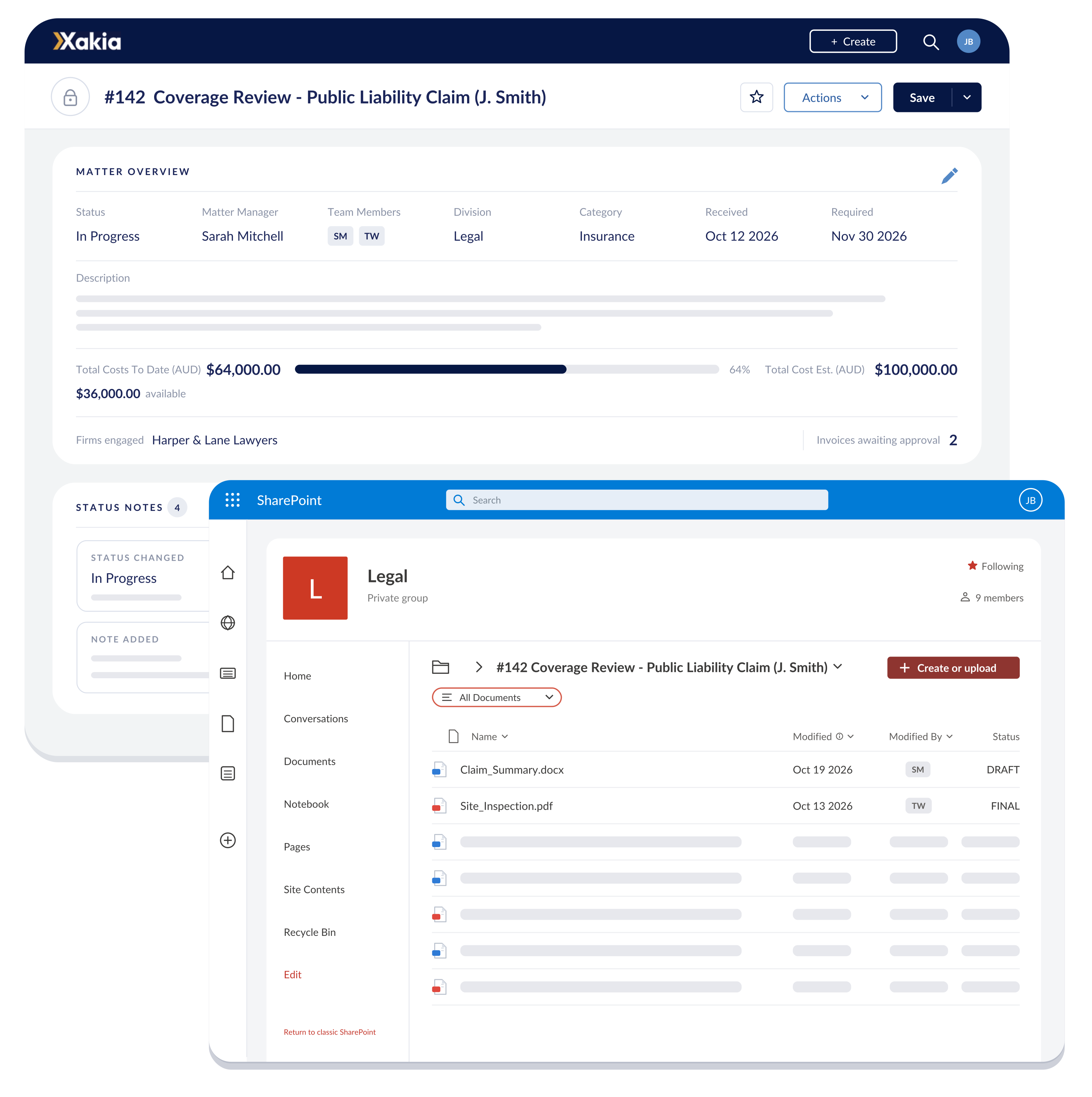
SharePoint
Our SharePoint integration connects your matters and contracts to SharePoint Online, so nobody's building a folder for every matter by hand or hoping the emails landed in the right place.
A SharePoint folder is created for every new matter or contract, placed by rules you set once
File emails, whole threads included, and documents from Outlook straight into the matter's SharePoint folder
Capture each email's sender, recipient, date and subject, and map matter fields to SharePoint metadata
Matter updates sync to SharePoint automatically, including access changes on confidential matters
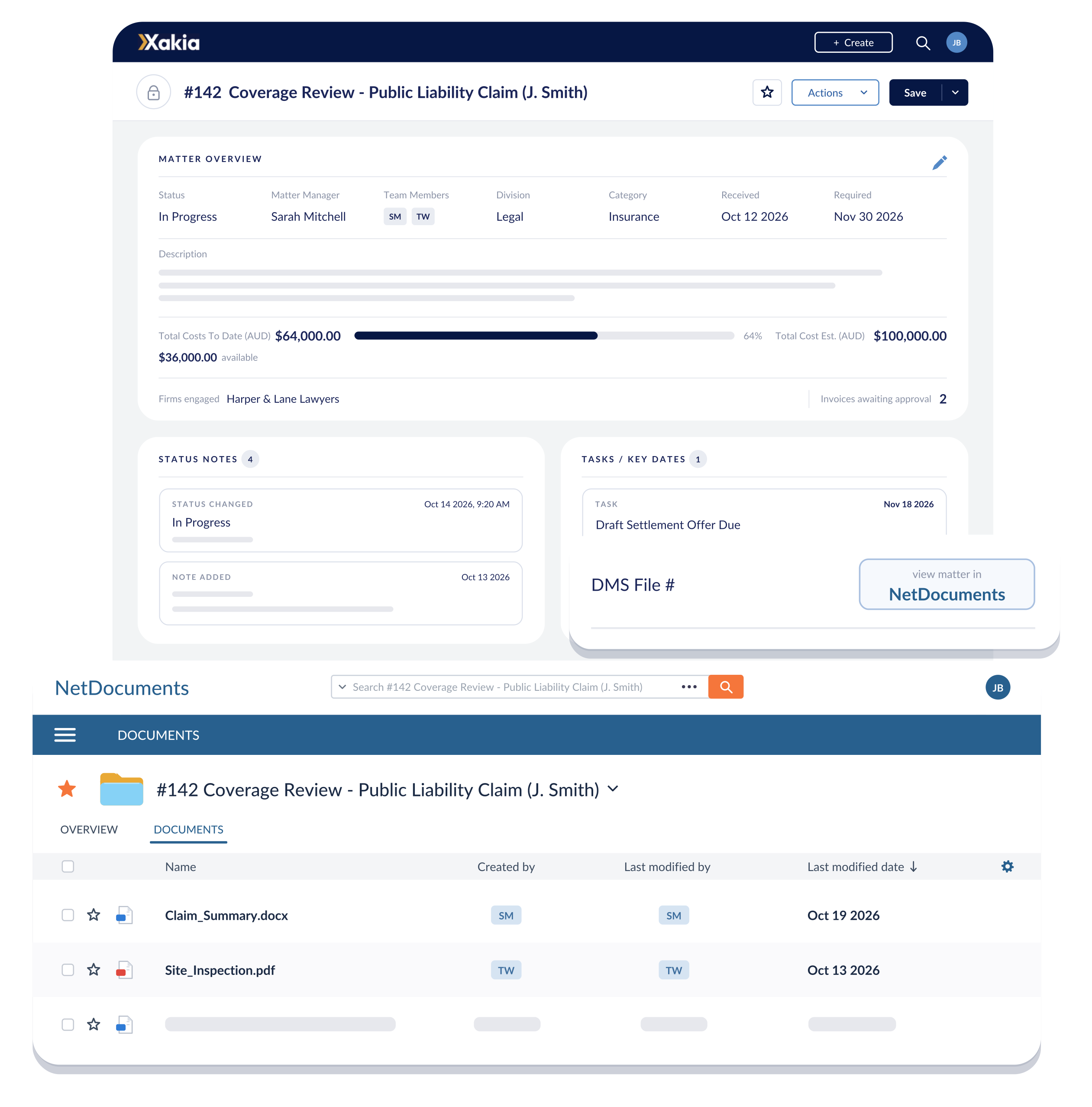
NetDocuments
Create a NetDocuments workspace from any matter, with the matter's details and security settings already filled in, which saves retyping them into a second system.
Automatically create a workspace for a matter
Link to an existing workspace if preferred
Open a workspace directly from a matter
Sync matter details to NetDocuments profile attributes
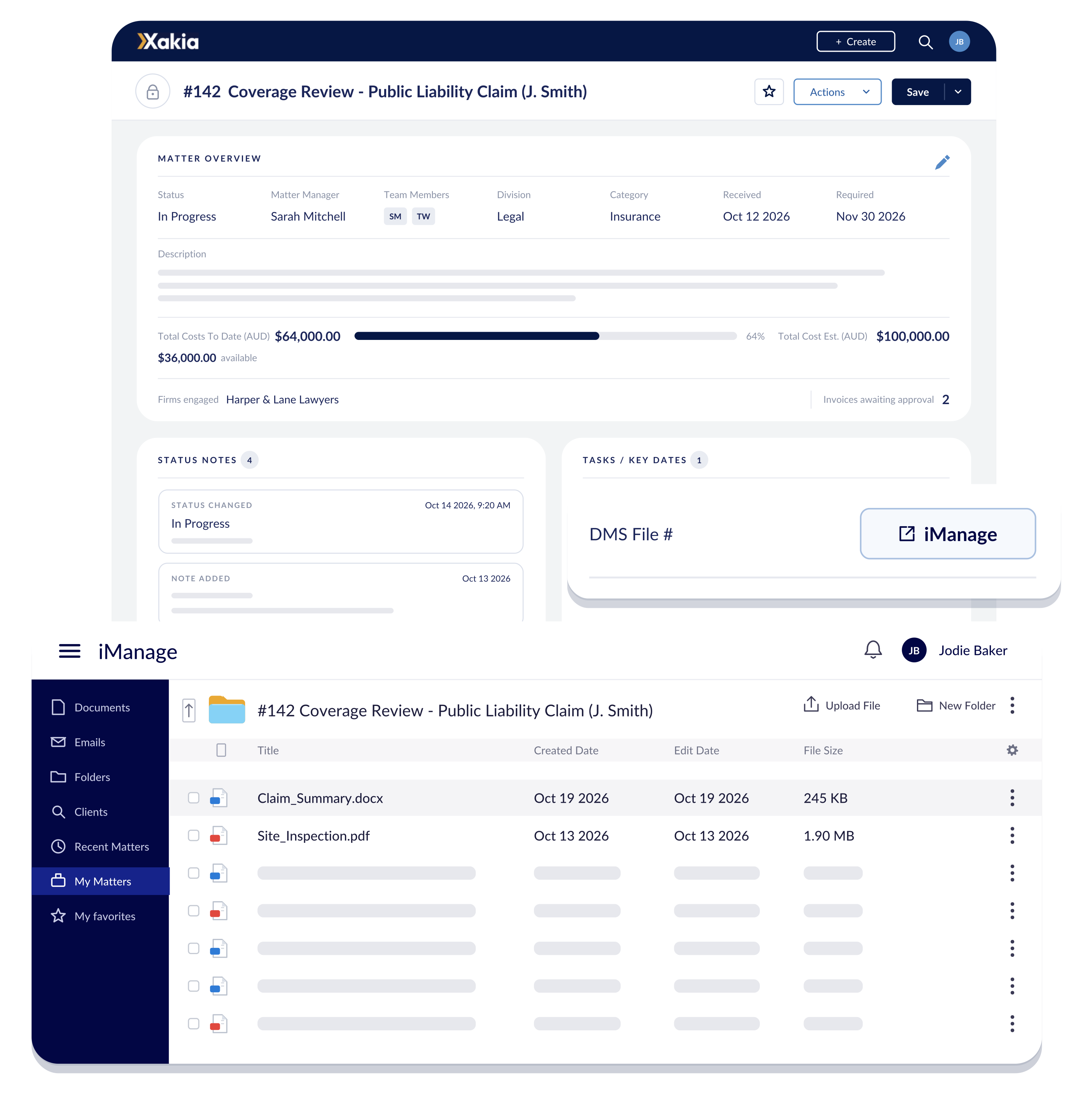
iManage
Open a new matter in Xakia and its iManage workspace is created for you. Every later update is pushed across automatically, and everyone on the matter team gets a shortcut under My Matters in iManage.
Automatically create a workspace for a matter
Link to an existing workspace if preferred
Map matter categories to iManage templates for consistent file structures
Some Commonly Asked Questions About our Document Management Software
Xakia covers the full stack for in-house legal teams: matter management, legal intake & triage, spend management, external counsel management, contract lifecycle management, legal project management, document storage, and analytics & reporting. Everything talks to each other, so you get one source of truth instead of five different tools.
No IT degree required. Xakia is cloud-based, so there's nothing to install. Most teams are up and running within days, not months. The interface is designed to be genuinely intuitive i.e. your team won't need a training course to figure it out.
Xakia connects with the tools your team already uses. Out-of-the-box integrations include NetDocuments, iManage, SharePoint (document management), Docusign (e-signing), Salesforce (CRM), Microsoft Teams, Slack, Outlook and Gmail (communication), SSO providers, and eBilling platforms. There's also an open REST API if you need to build a custom integration.
Both options are available. You can use Xakia’s built-in document management system or connect to iManage, NetDocuments or SharePoint — whichever suits your team’s setup.
Teams save many hours each week by reducing tab-hopping and manual searching. The impact depends on your current processes, but the workflow simplification is immediate and significant.
Yes. Xakia has native integrations with the leading document management systems used by in-house legal teams: iManage, NetDocuments, and SharePoint. If you don't have a DMS, Xakia also has built-in document management, so you can start managing documents right away with full version control, deep search capabilities, and inbox filing and retrieval.
Security is non-negotiable for legal teams, and it's one of our highest priorities. Xakia is certified compliant with ISO 27001, SOC 2 Type 2, and HIPAA. We conduct regular independent security audits, and operate on enterprise-grade cloud infrastructure. You can request our security documentation at any time.
Yes — and we're building more. Xakia uses AI for contract redlining and contract summarization. We're continuing to expand our AI capabilities with a focus on things that genuinely save legal teams time, without compromising accuracy or security. Keep an eye on our product updates for what's coming next.
Yes. Xakia supports SSO integration, so your team can log in using your organization's existing identity provider. No extra passwords to remember, and simpler access management for your IT team.
Trusted by in-house legal teams of all sizes, worldwide
Get the matter management your team deserves — without the price shock.