Skip to content

LEGAL INTAKE & TRIAGE

In-house legal intake software that gets every request to the right person

 Xakia gives the business a legal front door, shows each requester only the questions that apply, deflects work that doesn’t need a lawyer and routes requests on rules your team sets. 

xakia-legal-intake
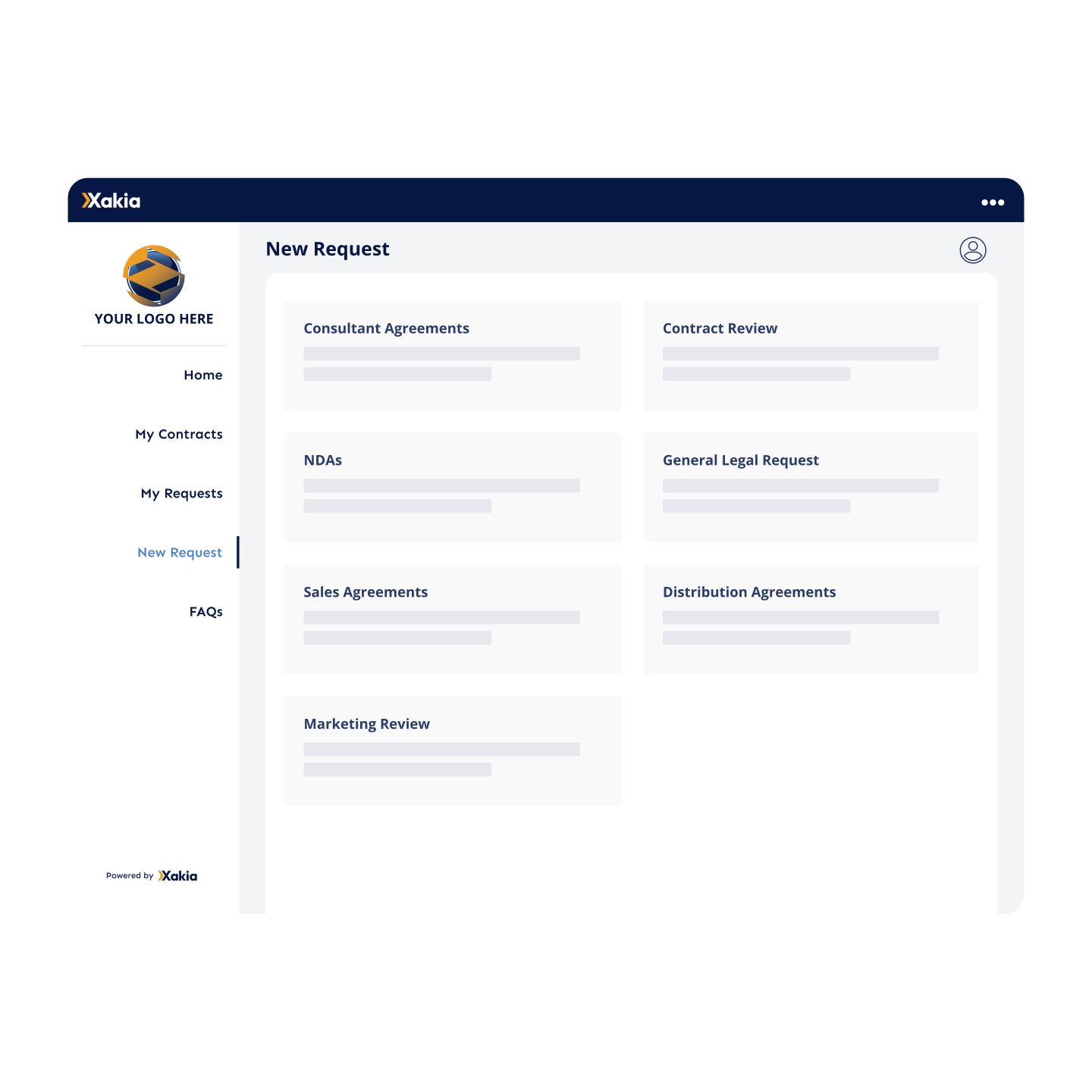
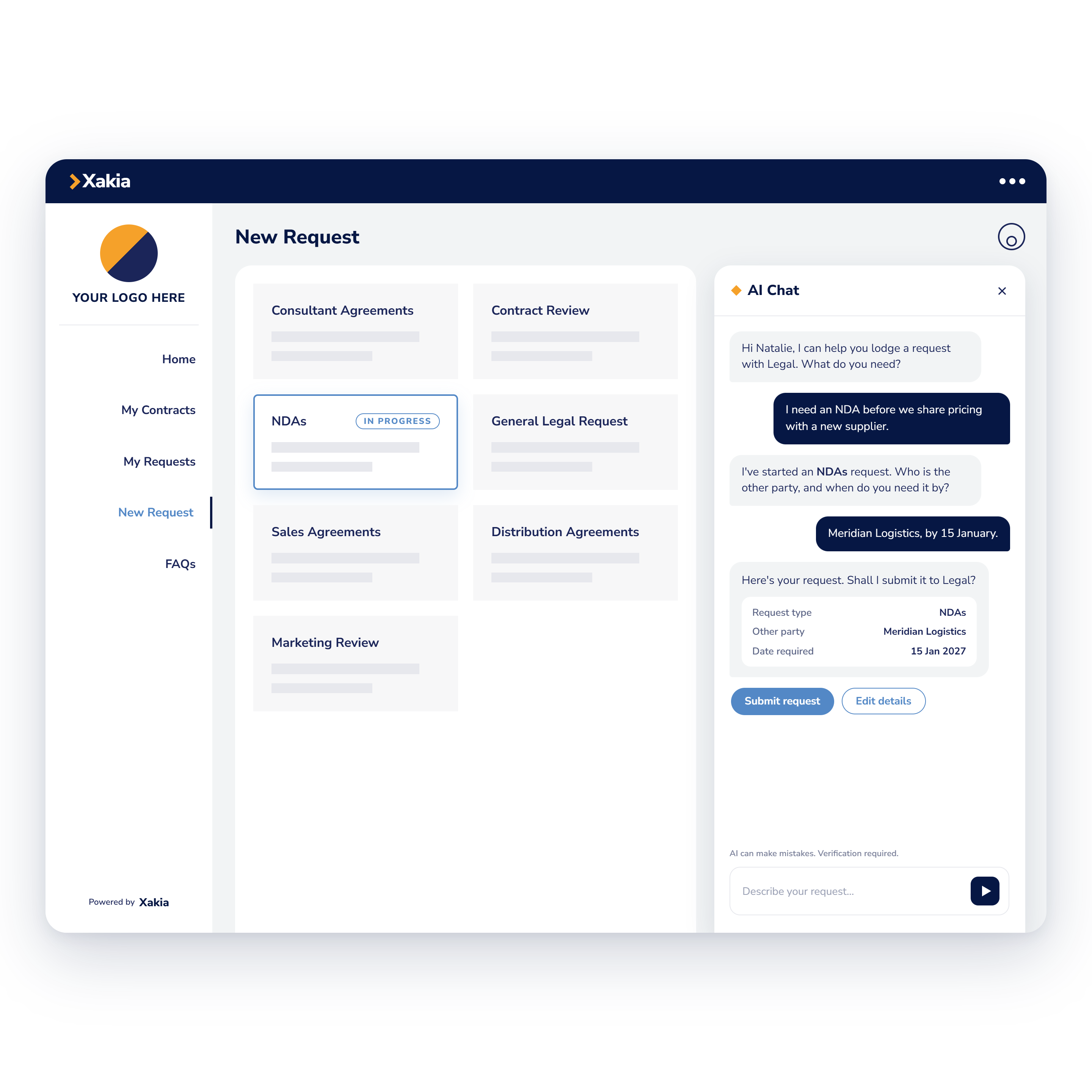
New request page showing request types such as NDAs, contract review, sales agreements and marketing review
 

One place for the business to ask legal

The Internal Client Portal is your legal front door: business users pick the type of help they need and go straight to the right request form.

Group 2133

Request types your team defines, such as NDAs, contract reviews, sales agreements and marketing reviews

Group 2133

Your logo and brand colors on the request forms

Group 2133

A homepage with live counts of open requests and outstanding approvals

Group 2133

Request forms you can also publish on your intranet


Or meet your business users where they are 

Coming soon

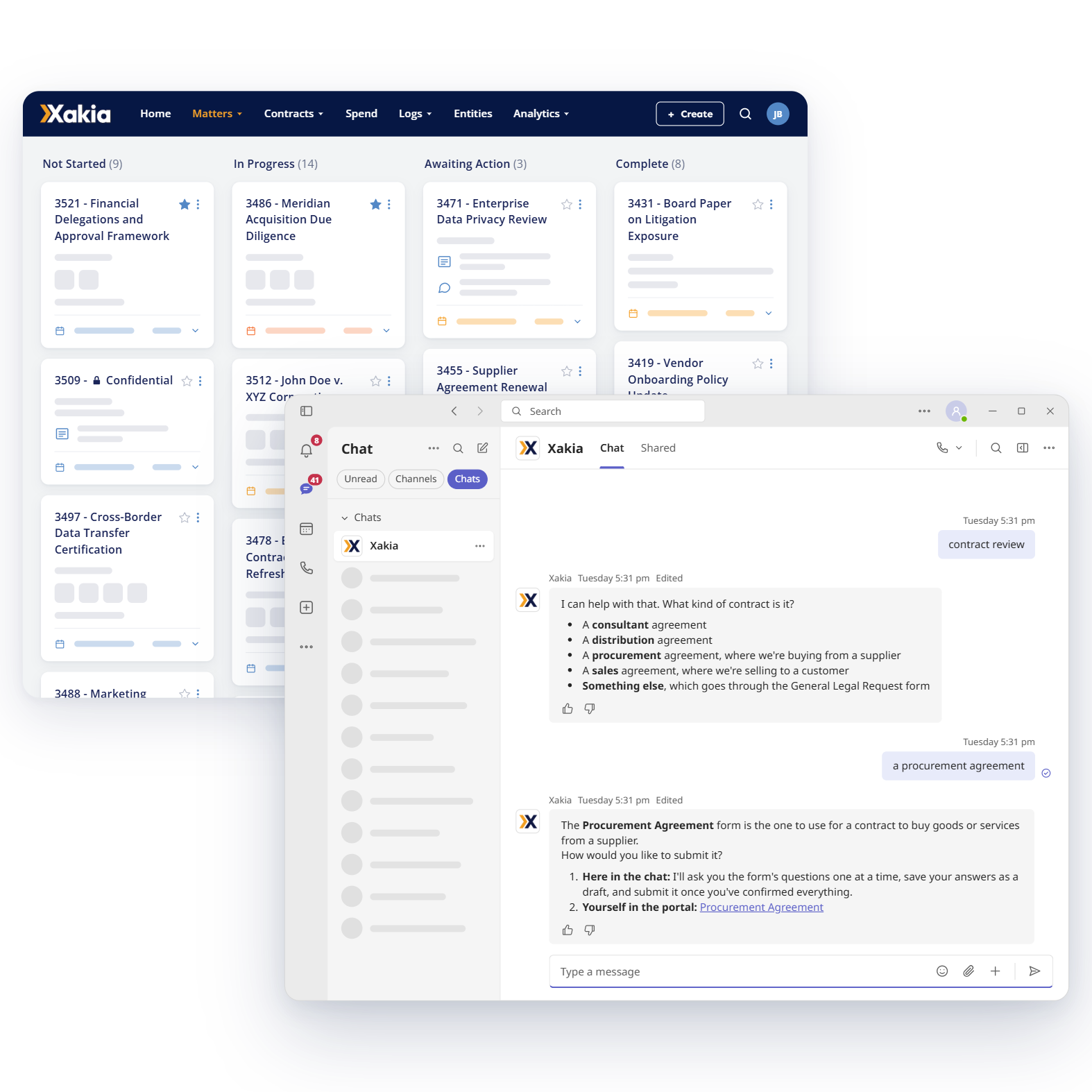
Business users search your FAQs or submit a legal request from the Xakia chatbot in Microsoft Teams, and the request reaches your legal team in Xakia like any other.

Group 2133

FAQ answers inside Microsoft Teams

Group 2133

Deflection messages in Microsoft Teams or the requester’s inbox

Group 2133

Requests delivered to your legal team in Xakia, as usual

Xakia-teams-intake-integration
legal-intake-form
 

Legal Intake That Gets the Full Story the First Time 

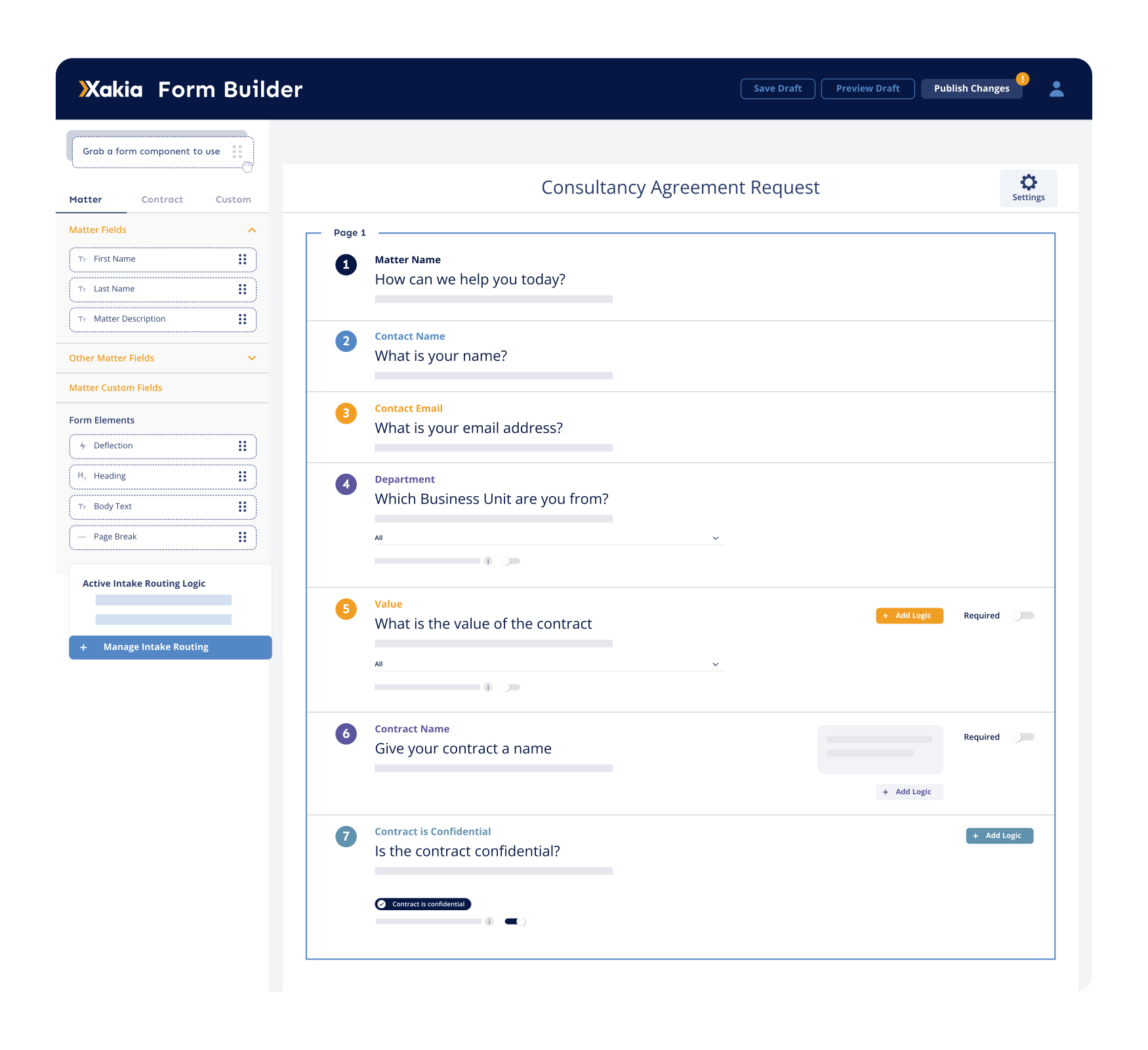
Your team builds each Intake Form in the Form Builder and marks the fields a request can't be sent without, so the details you need arrive with the request.

Group 2133

Conditional Logic hides fields and pages that don't apply

Group 2133

AutoDocs fills your NDA or DPA template with the answers, as a Word or PDF file

Group 2133

Finished documents go straight to the requester, or to legal for a check first

Group 2133

Contract requests carry their key dates and document into a new Contract Record


Legal intake that answers routine questions before they become requests

Your legal team publishes FAQs on the Internal Client Portal homepage, and Deflections catch out-of-scope requests by showing the requester where to send them instead.

Group 2133

FAQs grouped by category, with a keyword filter

Group 2133

Deflection rules built on answers such as category or value

Group 2133

A custom message for each rule, with links to another team’s portal or email address

Group 2133

Every deflected request logged as a completed matter for your reports

Coming soon

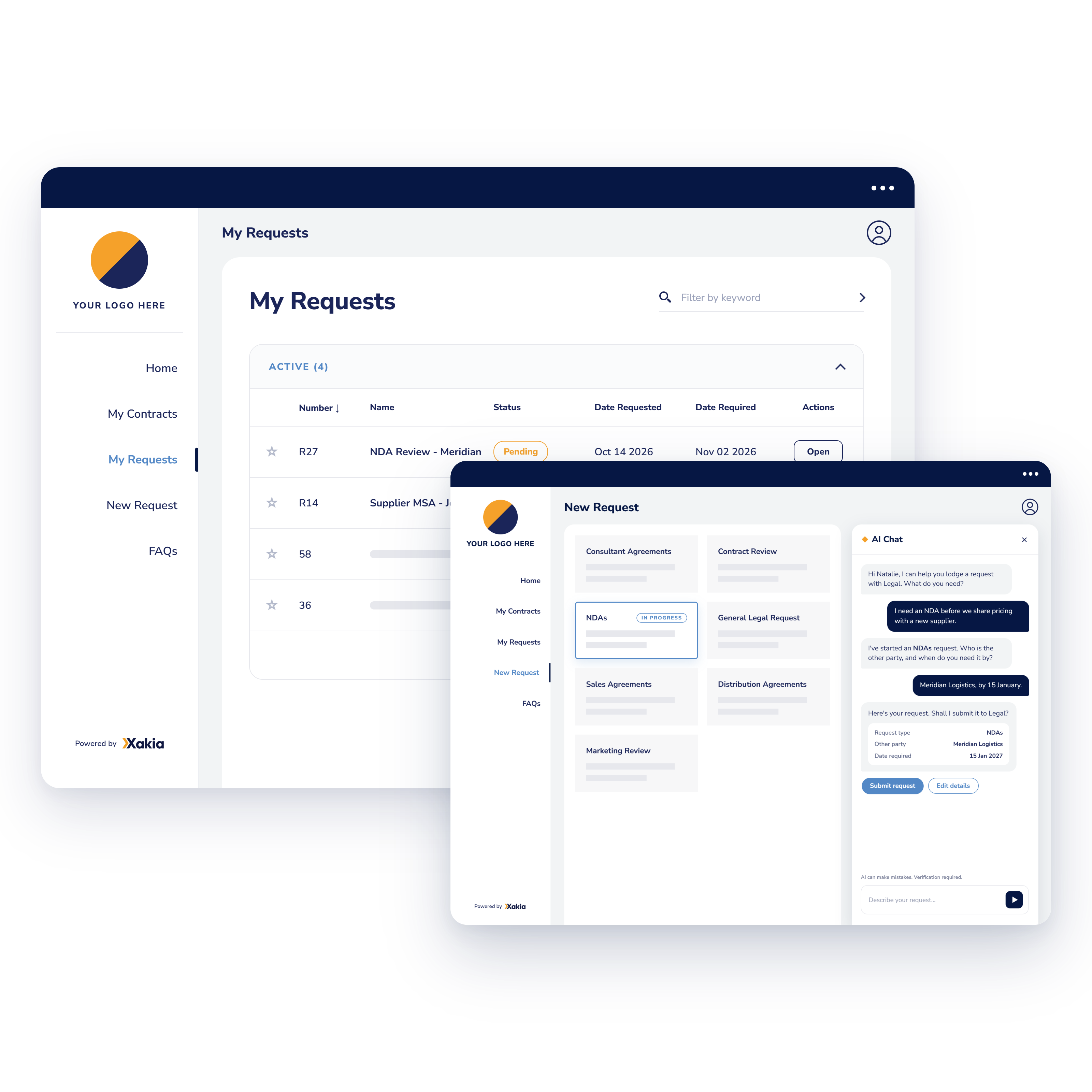
Business users ask the AI legal intake chatbot a question in plain language and get an answer straight from your FAQs. When the question needs legal, it walks them through the right request form. 

ICP_New_Request_with_AI_Chat
intake routing simple
 

Rules where you need certainty, AI where it saves time

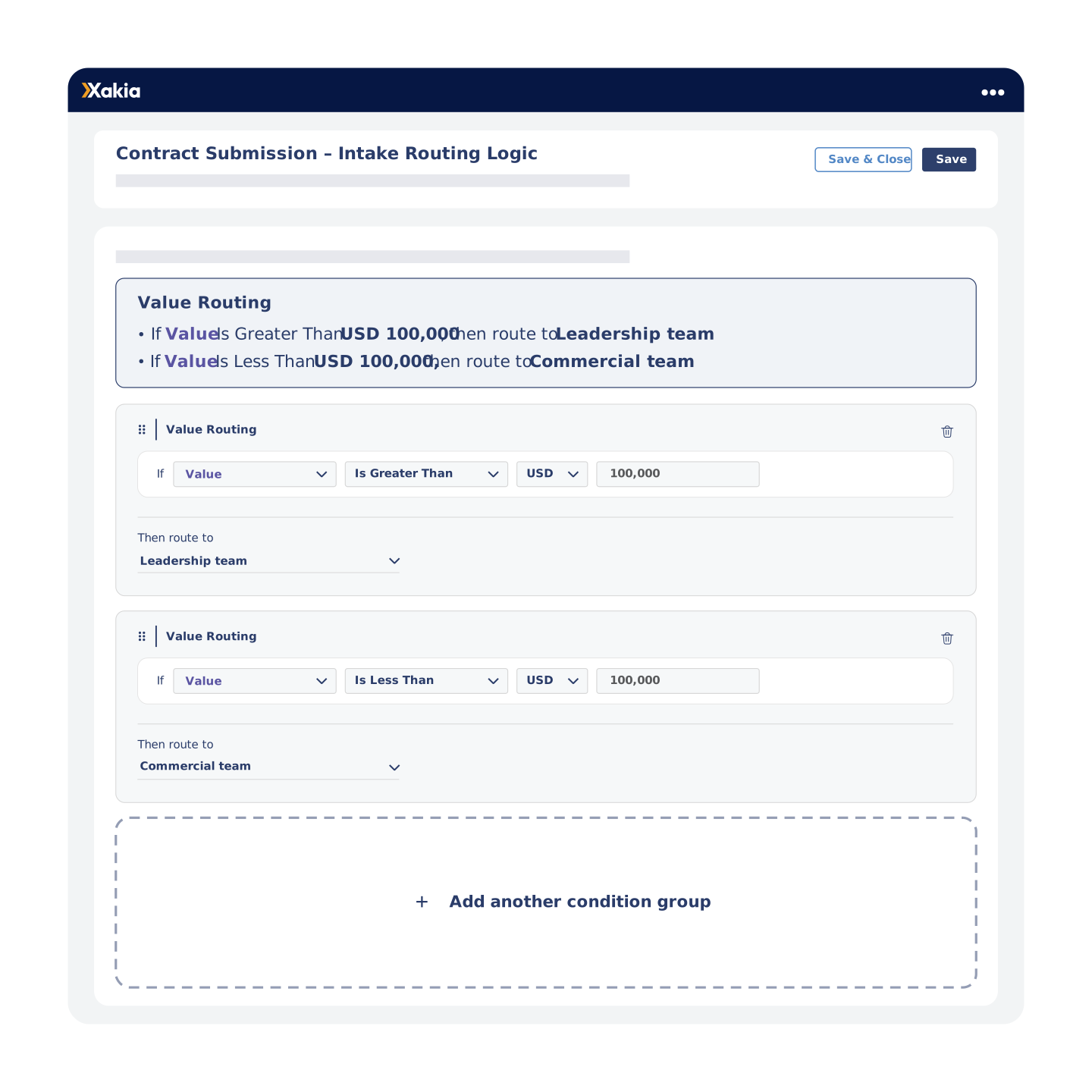
Intake Routing reads the answers on a submitted form and sends the request to the person or group named in the first rule it matches. Whoever receives it can see which rule sent it there.

Group 2133

Rules built on category, division, value or date fields

Group 2133

Manual re-routing for pending requests when someone’s away

Group 2133

An email alert for whoever a request is routed to

Group 2133

The Capacity Dashboard, showing team workload before you assign

Coming soon

 Xakia AI gives your team an overview of each request, with the key dates and the actions needed up front, so nobody has to sift through the details. Your team still makes the legal decisions. 


Your business clients can check progress without chasing Legal 

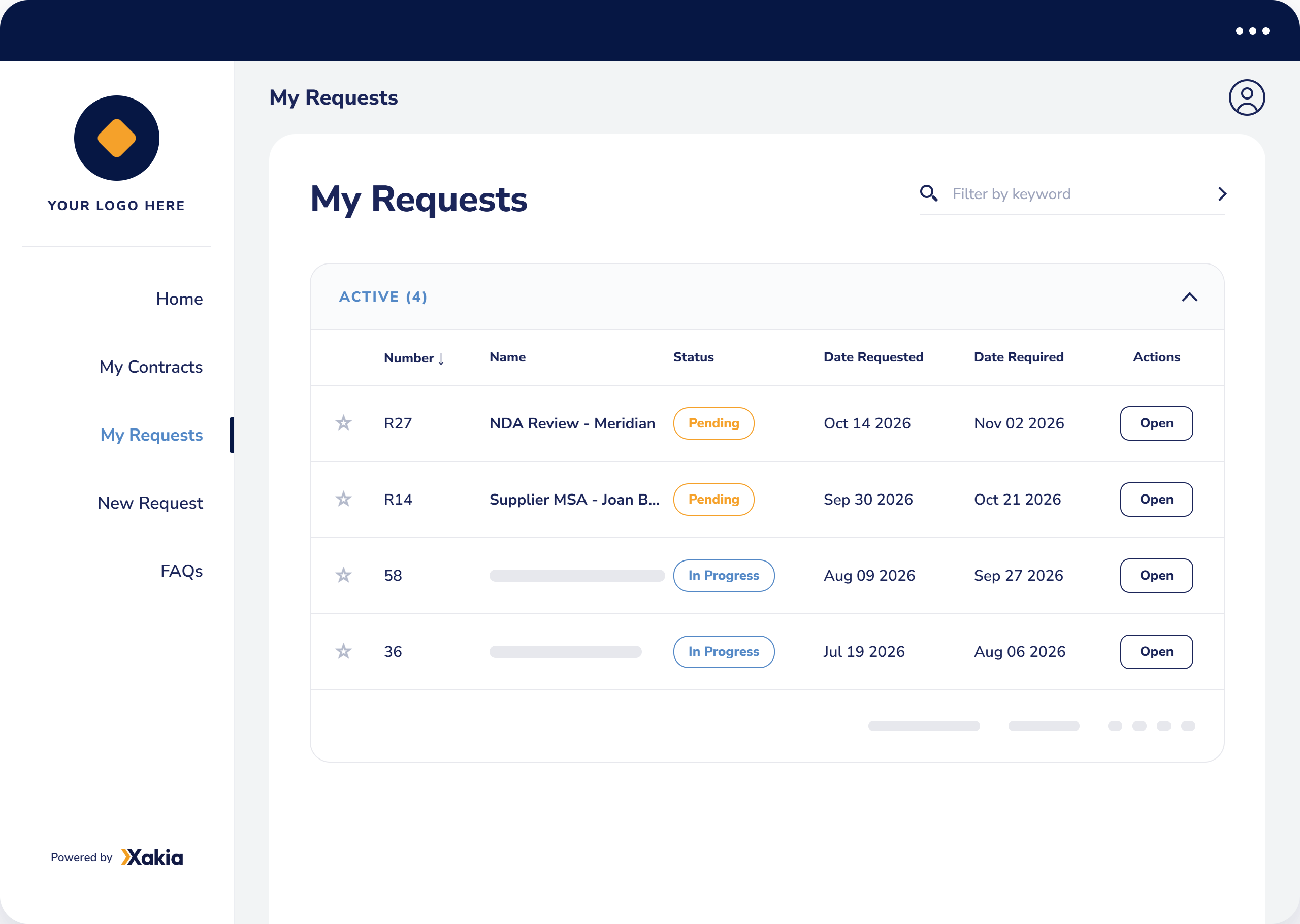
Business users follow their requests in the Internal Client Portal, where they see each one's status and who's managing it, without emailing legal for an update.

Group 2133

Status notes and documents your team chooses to share

Group 2133

Discussions for direct messages with the legal team

Group 2133

Document uploads from the requester at any stage

Group 2133

Email updates when a request is received, assigned and completed

xakia-legal-request-portal-my-requests
xakia-legal-intake-analytics-dashboard (1)
 

A Legal Department Dashboard Built From Your Intake Requests

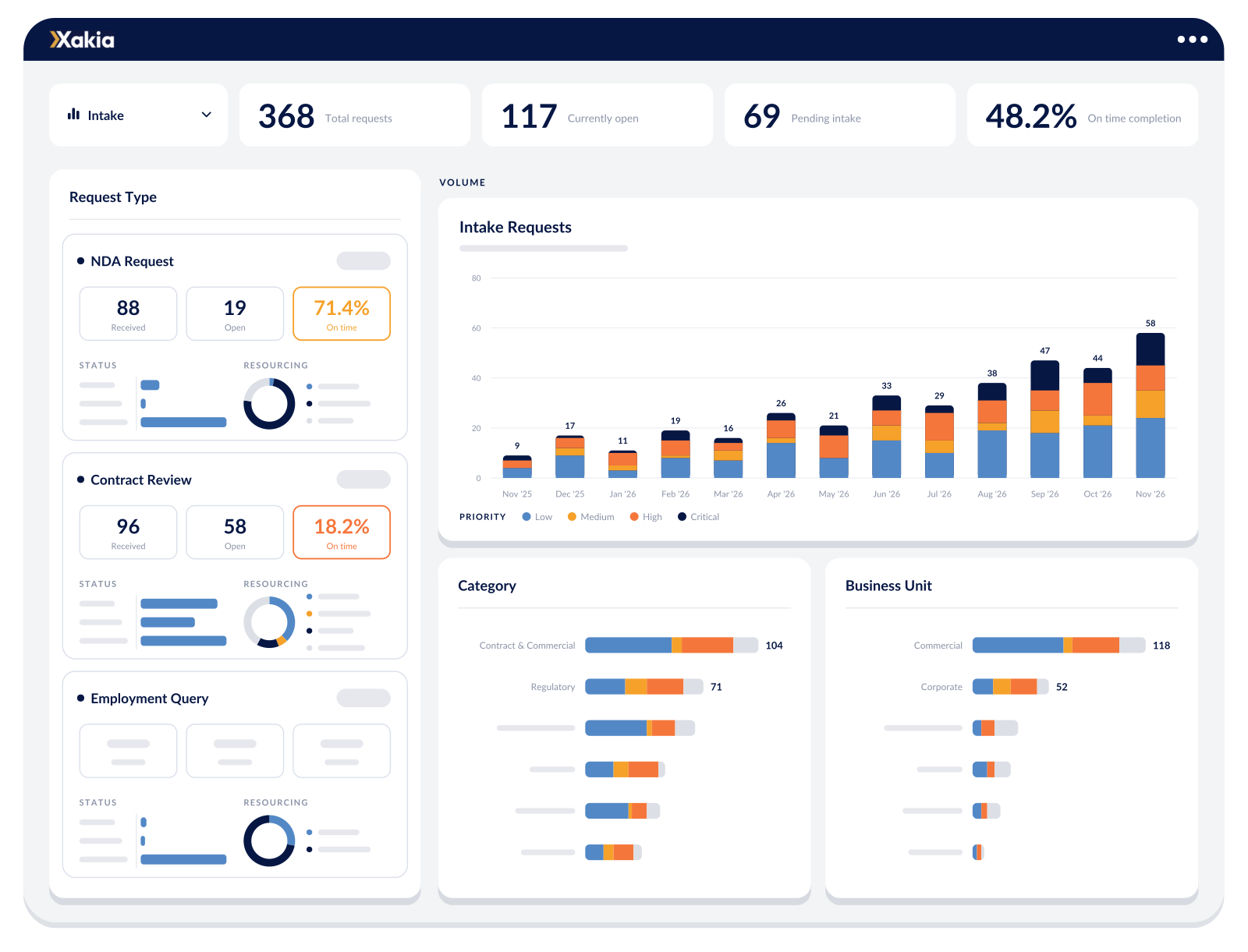
The Intake Dashboard turns your requests into live reporting you can break down by request type, category, business unit or risk, then filter by date and download as a PDF for your next leadership update.

Group 2133

On-time and late completions, month by month

Group 2133

Average and median turnaround on completed requests

Group 2133

Who handles the work: your team, outside counsel or automation

Group 2133

How much notice requesters give before the date they need


Customer story

73% faster completion

“When using Xakia, average days to completion [of legal requests] reduced by 73%.”

Megan Isaacson

Legal Operations Manager, Syneos Health


 
We Offer the Only Legal Toolkit for In-house Teams
Simple, powerful and affordable legal operations software. Manage your matters, legal spend and more from one cloud based in-house legal toolkit.
 
Some commonly asked questions about our legal intake & triage software

Xakia is cloud-based legal matter management software built specifically for in-house legal teams. It brings your matters, intake, spend, contracts, documents, and reporting into one place — so your team spends less time chasing emails and spreadsheets, and more time doing actual legal work. Founded in 2016, Xakia supports teams of all sizes across the globe.

Xakia covers the full stack for in-house legal teams: matter management, legal intake & triage, spend management, external counsel management, contract lifecycle management, legal project management, document storage, and analytics & reporting. Everything talks to each other, so you get one source of truth instead of five different tools.

Security is non-negotiable for legal teams, and it's one of our highest priorities. Xakia is certified compliant with ISO 27001, SOC 2 Type II, and HIPAA certified. We conduct regular independent security audits, and operate on enterprise-grade cloud infrastructure. You can request our security documentation at any time.

No IT degree required. Xakia is cloud-based, so there's nothing to install. Most teams are up and running within days, not months. The interface is designed to be genuinely intuitive i.e. your team won't need a training course to figure it out.

Without a structured intake process, legal requests arrive through email, Teams or Slack, text, hallway conversations, and spreadsheets — and things slip through the cracks. A legal intake system gives every request a consistent path: submitted, triaged, assigned, and tracked. The result? Faster response times, better prioritization, and a clear record of everything your team handles. Xakia customers see average days to completion drop by 73% after implementing legal intake.

The Internal Client Portal is a hub where your internal clients (think: sales, HR, finance) can submit legal requests, track progress, and find answers to common questions - without having to email the legal team directly. You customize the intake forms, set up an FAQ library that intercepts routine questions, and keep requestors in the loop automatically. It's available on all subscription tiers. There is no charge or limit to the number of internal clients accessing this portal.

Yes — legal intake and triage is included in every Xakia subscription, from the smallest team to the largest. No add-ons, no extras.

No! The good news is you can have unlimited internal business clients use the Internal Client Portal at no additional fee!

Please note: the Internal Client Portal is available on the Advance plan – you can view our pricing to learn more.

Yes — and we're building more. Xakia uses AI for contract redlining and contract summarization. We're continuing to expand our AI capabilities with a focus on things that genuinely save legal teams time, without compromising accuracy or security. Keep an eye on our product updates for what's coming next.

Xakia consistently rates highly for legal intake on G2, Capterra, and Software Advice — particularly for ease of use, fast implementation, and customer support. If you want to see how we compare, check out our reviews or start a free 14-day trial and decide for yourself.

Yes. You can build intake forms that match your team's workflows, with custom fields, conditional logic, and different form types for different request categories (e.g. contracts, employment, commercial). No two legal teams work the same way, so your intake forms shouldn't look the same either.

 
Trusted by in-house legal teams of all sizes, worldwide

Give the business one place to ask legal

See how requests look when they arrive complete and go straight to the right person. Simple to set up, powerful where it counts and affordable for your team.